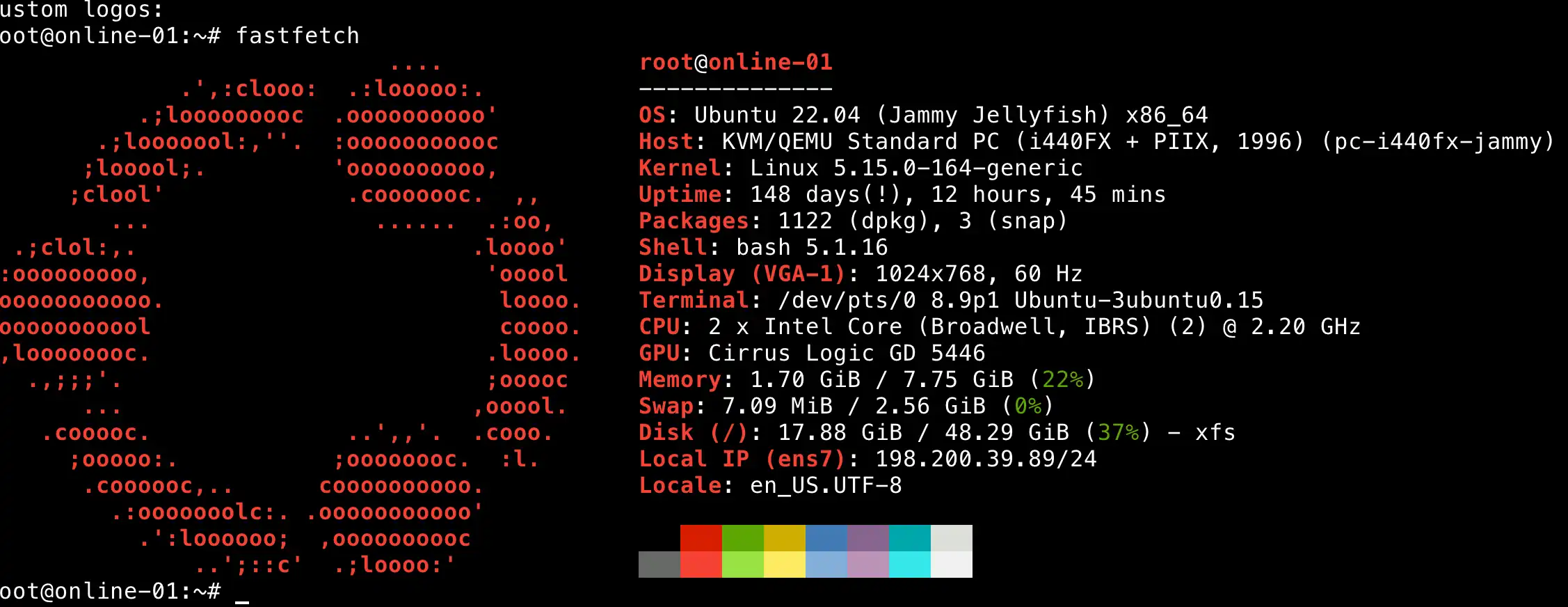
ubuntu查询版本号
查询看ubuntu系统版本号,或者操作系统版本号,适用于各种操作系统保留 Ubuntu macos widnows FreeBsd等
使用软件 fastfetch 老版本名称是 neofetch
1。命令安装,如果提示没有对应内容 尝试安装 neofetch
Debian/Ubuntu: sudo apt install fastfetch
Arch Linux: sudo pacman -S fastfetch
macOS: brew install fastfetch
Windows: scoop install fastfetch
FreeBSD: pkg install fastfetch
Android (Termux): pkg install fastfetch
windows下载可以 https://github.com/fastfetch-cli/fastfetch/releases/ 下载exe安装
2. 下载方式安装: linux 安装,其他系统版本通过链接访问自行下载
# 下载(以 amd64 为例,请根据实际版本调整链接)
wget https://github.com/fastfetch-cli/fastfetch/releases/latest/download/fastfetch-linux-amd64.deb
# 安装
sudo dpkg -i fastfetch-linux-amd64.deb
3. 查询命令: windows 也可以运行
fastfetch
#老版本
neofetch
如下图